Basic Computer Skills for Beginners
Learn essential computer skills step by step.
Learning computer skills is essential in today's world. Whether you're looking to improve your job prospects, communicate with family and friends, or simply navigate the digital world more effectively, these skills are fundamental.
Step 1: Using a Mouse
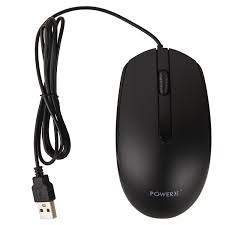
The mouse is your primary tool for interacting with your computer. Here's what you need to know:
- Left Click: Select items or open programs
- Right Click: Access additional options (context menu)
- Scroll Wheel: Move up and down on pages
- Drag and Drop: Click and hold to move items
Practice moving the mouse to control the pointer accurately. Start with simple games or exercises that help you build muscle memory.
Step 2: Using a Keyboard
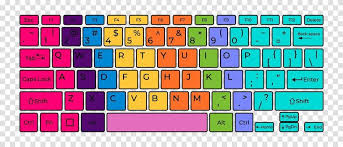
The keyboard allows you to type text and use shortcuts. Essential skills include:
Common Keyboard Shortcuts:
- Ctrl + C: Copy
- Ctrl + V: Paste
- Ctrl + Z: Undo
- Ctrl + S: Save
- Alt + Tab: Switch between programs
Practice typing letters and numbers. Start with the home row keys (ASDF JKL;) and gradually expand to all keys. Online typing tutors can help you improve your speed and accuracy.
Step 3: File Management
Understanding how to organize your files is crucial:
- Creating Folders: Right-click on desktop → New → Folder
- Naming Files: Use descriptive names (e.g., "Resume_2024.docx")
- Finding Files: Use the search function in your file explorer
- Backing Up: Regularly save copies of important files
Why These Skills Matter
Mastering these basic skills helps you:
- Work Faster: Shortcuts and efficient navigation save time
- Get Jobs: Most jobs require basic computer literacy
- Stay Connected: Communicate with friends and family online
- Solve Problems: Troubleshoot common issues independently
- Learn More: Build a foundation for advanced skills
Next Steps
Once you've mastered these basics, consider learning:
- Email and internet browsing
- Word processing and spreadsheets
- Online safety and security
- Basic troubleshooting
Remember: Everyone starts somewhere. Take it one step at a time, practice regularly, and don't be afraid to make mistakes—that's how we learn!
Continue Learning
Explore more articles on similar topics